Airport Architect Custom Airline Guide
Name, paint, and fly your own carrier—then match routes to gate capacity on six-player servers.
Why your airline identity matters
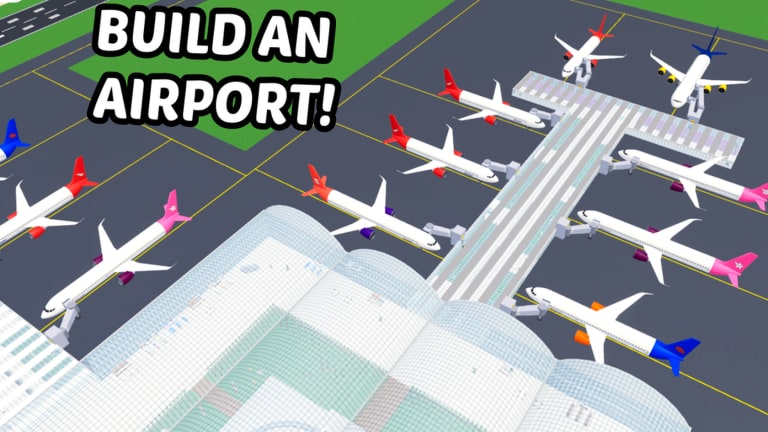
Airport Architect by Naco88 / Builduxe is a free Roblox airport builder where the terminal is only half the fantasy. The other half is your airline: a custom name, colors, and livery that roll out to real city routes while you fly planes from the gates you built. Servers hold up to six players, so a readable brand turns a shared plot into a showcase instead of a pile of anonymous stands.
This guide covers creating the airline, opening routes without overloading gates, flying manually from stands, how premium aircraft such as the Concorde / supersonic game pass fit without becoming pay-to-win pressure, and how airline identity pairs with hotel and arrivals prestige after the November 2026 updates. New builders should finish a working loop in Getting Started first. For expansion structure, see build a mega airport; for XP pacing, level up fast.
Create name, colors, and livery
Open the airline customization tools once you can assign a carrier to routes. Pick a short, readable name—six-player servers mean other players glance at your gates between builds, and long joke titles blur in screenshots. Choose primary and accent colors that contrast with terminal flooring so liveried aircraft and branded desks still pop under Roblox lighting.
Apply the livery to the aircraft you fly and keep the same palette on check-in banks, gate signage zones, and any hotel wing you recolor later. Consistency sells the fantasy: a blue-and-gold jet next to a pink terminal with green hotel rooms reads as unfinished, not creative. Treat the airline as a brand kit, not a one-time paint job.
Save a “daytime readable” scheme first. Fancy dark liveries look sleek in trailers and muddy at distance when friends tour your pier. You can always add a night-theme variant after the first route proves the path works.
Open city routes and match gate capacity
Routes connect your airline to real cities. Opening a destination without enough gate, check-in, and security throughput creates queues, blocked warnings, and empty stands waiting on jammed landside. Match route ambition to capacity:
- Confirm at least one clear gate with continuous taxiway paint to a usable runway.
- Open a single starter city route on your custom airline.
- Watch one full departure: check-in → security → gate → taxi → takeoff.
- Add a second gate before stacking more destinations.
- Scale international or long-haul style routes only when desks and airside corridors keep pace.
Gate count is not vanity. Two busy routes on one stand fight each other; three quiet routes on six underused gates waste plot space. Use the tier list to prioritize capacity upgrades that actually feed flights, and keep passenger flow open when walks get too long after you add destinations.
If money feels slow while you brand, remember there are no verified promo codes as of November 2026—check the Codes hub later for drops, but fund early routes with clean throughput, not hoped-for redeem strings.
Fly planes manually from gates
Airport Architect lets you fly your own planes from gates, which is the payoff for all that paving. Board from a stand that passengers can reach, push back onto continuous taxiway paint, and take the runway. Manual flying is how you verify airside geometry: if you cannot leave the stand without clipping walls or dead pavement, fix the paint before opening another city.
Tips for clean gate ops:
- Keep stand noses pointed toward a clear taxi lead-out.
- Avoid one-tile corners; aircraft pathing hates pinches the same way passengers hate sealed desks.
- After the Arrivals Update wave, leave room for inbound parking so departures and arrivals do not share a single clogged stub taxiway.
- In co-op, call out which gate you are flying so partners do not rebuild the stand mid-roll.
Flying is also your best screenshot tool. A branded departure rolling past a finished pier sells the airline harder than any lobby sign.
Game passes and premium aircraft (Concorde)
Community content covers a Concorde / supersonic jet game pass—premium airframes that look spectacular on your custom livery. Treat them as showcase tools, not a shortcut past layout. A supersonic jet on a broken path still fails; a starter plane on a perfect loop still earns. Layout, gate matching, and passenger paths decide whether the airport works. The game pass only changes what sits on the stand.
Spend Robux only if you want the prestige aircraft for branding and videos. Free progression still unlocks routes, hotels, and arrivals systems. Do not delay plot unlocks, second gates, or security capacity to chase a premium model—see level up fast for XP that multiplies every plane you already own.
When you do fly Concorde-class traffic, give it a dedicated stand with generous taxi lead-out and a runway length that feels intentional. Prestige aircraft amplify bad paving as much as they amplify good branding.
Branding for six-player servers
Max six players per server means your airline is social infrastructure. Other builders notice names on gates, colors on jets, and whether your pier looks intentional. Strong branding habits:
- One palette across airline, gate markers, and hotel accents.
- Readable airline name on signage areas without covering walkable floors.
- A “flagship” gate closest to the main amenities strip for tours.
- Co-op roles: one player watches queues while another flies the branded departure.
Avoid griefing someone else’s branded identity—study layouts on the Players page for inspiration, then invent your own carrier story. On small servers, a polite, finished brand gets visit traffic; a cluttered rename every five minutes does not.
Pair airline identity with hotel and arrivals prestige
The Hotel Update (November 13, 2026) and Arrivals Update (around November 20–24, 2026) let your airline feel like a full-service carrier. Recolor hotel rooms to echo airline accents after the hotel sits correctly before security. Guests who rest in brand-matched rooms, then clear security to your liveried jet, sell a complete journey.
Arrivals raise the stakes: inbound flights pay more and dump passengers into passport control and baggage claim. A custom airline that only looks good outbound but dumps arrivals into a dead-end hall feels unfinished. Keep inbound corridors separate, then fly a branded arrival into a clean stand so the same livery works both ways. Track patch context under Updates so booth and belt rules stay current.
Prestige is the combo: custom name on the route board, matching hotel wing landside, liveried jet at the gate, and an arrivals hall that does not fight departures. None of that requires inventing codes or scripts—only layout discipline and consistent paint.
Practical airline checklist
- Finish a working departure loop (Getting Started).
- Set airline name, colors, and livery with daytime contrast.
- Open one city route; confirm passengers and your manual flight both clear the gate.
- Add gates before stacking destinations; follow tier list capacity priorities.
- Optional: Concorde / supersonic pass for showcase—never as a substitute for pathing.
- Align hotel colors with the airline; keep lodging pre-security.
- Wire arrivals so inbound branded flights have passport and baggage exits.
- Tour the hub with up to five other players; fix anything that breaks the brand story.
What to read next
Scale piers and dual runways in build a mega airport, grind XP in level up fast, and watch Updates for hotel and arrivals patches. Bookmark Codes for future drops (none verified as of November 2026) and Players for creator context.
Your airline is the story passengers walk through. Name it clearly, paint it consistently, open only the routes your gates can feed, and fly the plane yourself until the stand-to-runway path is boringly reliable—then bring the Concorde out for the screenshot.
Frequently Asked Questions
Quick answers for Airport Architect builders.
How do I create a custom airline in Airport Architect?
Use the airline customization tools to set a short name, primary and accent colors, and a livery, then assign that carrier when you open city routes from a working gate.
How many city routes should I open at once?
Start with one route on a clear gate and continuous taxiways. Add destinations only after check-in, security, and gate capacity keep up so stands do not idle behind landside jams.
Can I fly planes myself from the gates?
Yes. Manual flights from gates verify airside paving: push back on continuous taxiway paint, reach the runway, and fix clipped stands before opening more routes.
Is the Concorde game pass required to progress?
No. The Concorde / supersonic game pass is a prestige aircraft for branding and showcase. Layout, gate matching, and passenger paths still decide whether flights succeed.
How should airline branding work with hotels and arrivals?
Match hotel room colors to airline accents after placing the hotel before security, and give inbound branded flights clean passport and baggage exits so the same livery looks finished both ways.